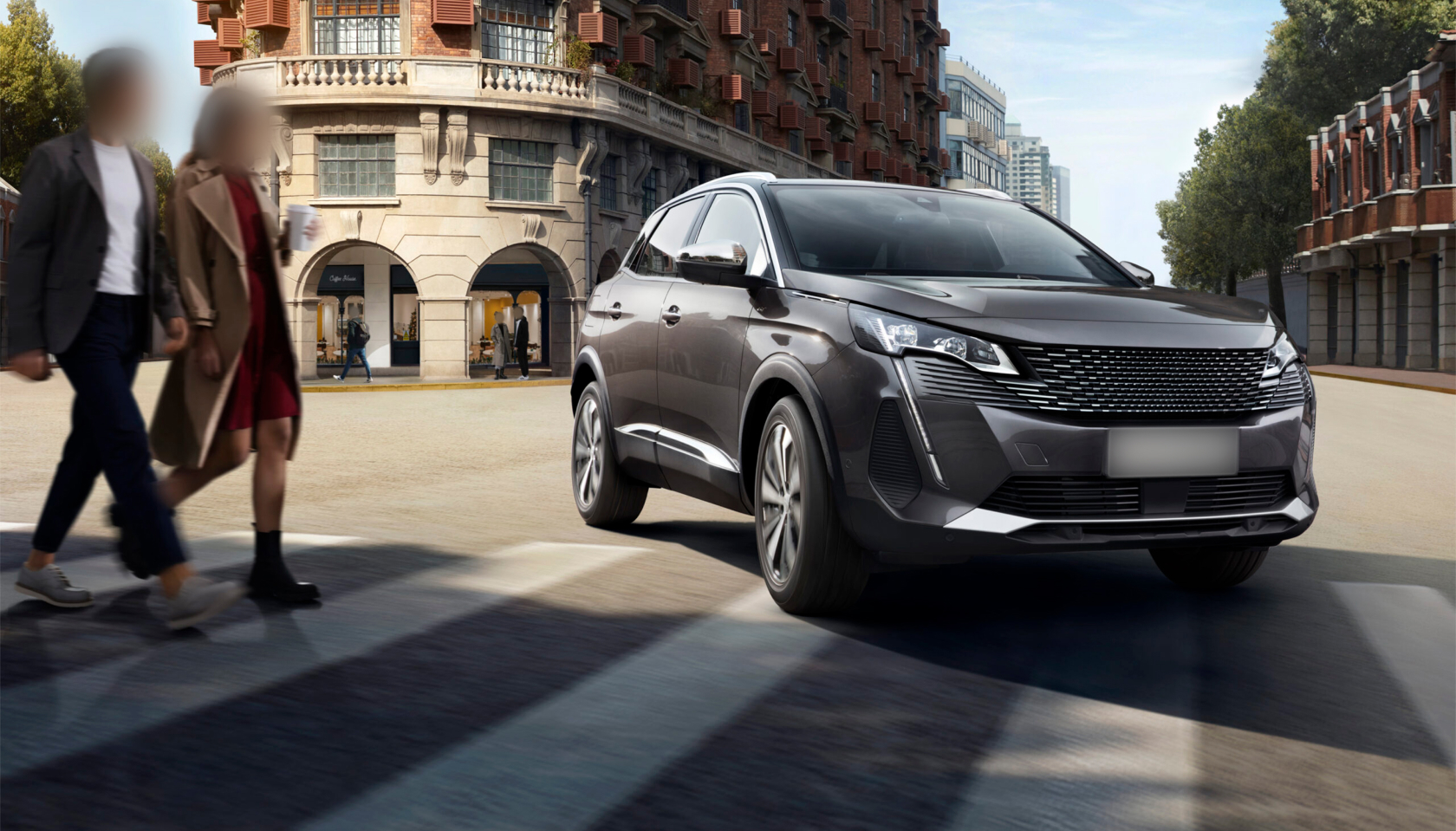
Images and videos are the most common source of personal data in circulation today — and most of the people who appear in them never consented to being captured, let alone shared. Faces and license plates are the two identifiers that appear most frequently, carry the most risk, and are easiest to address with the right tool. Here’s why they matter and what to do about them.
What Makes a Face or License Plate Personal Data?
Under GDPR, personal data is any information relating to an identified or identifiable natural person. A face meets this definition the moment it can be matched to a person — whether through facial recognition software, social media search, or simple visual recognition. A license plate meets the same definition because it can be traced back to a registered vehicle owner, revealing their name and address.
This means that any image or video containing a visible face or license plate is, by default, a file containing personal data — with all the legal obligations that come with it.
Why Blur Faces?
Facial recognition technology has become widely available, to private actors as well as governments. A face visible in a published photo or video can be matched against public databases, social media profiles, or surveillance feeds in seconds. Blurring a face before sharing or publishing removes that identification pathway entirely.
Beyond the technical risk, there are practical ones: unwanted attention, harassment, profiling, or simply the exposure of someone who didn’t want to appear in a shared image. These concerns apply equally to bystanders caught in the background and to individuals who are the deliberate subject of footage.
See Face Anonymization feature →
Why Blur License Plates?
A license plate number is enough to find out the registered owner of a vehicle — in many jurisdictions this information is accessible through official channels or data brokers. Published footage containing a visible plate can expose where someone lives, works, or travels, creating real risks of stalking, harassment, or theft.
This is why dashcam footage, parking system recordings, and any automotive or street-level imagery needs to have plates anonymized before being shared, published, or used for training data. See Plate Anonymization feature →
What Other Identifiers Should Be Blurred?
Faces and license plates are the most common, but not the only personal identifiers that appear in visual data. Depending on the context, organizations also need to consider:
- Names and ID numbers visible on documents, badges, or screens
- Addresses shown on letters, parcels, or signage
- Financial information such as card or account numbers visible in footage
- Social media handles or usernames displayed on screens
Blurit.io’s editing interface allows manual additions alongside automatic face and plate detection, so these elements can be handled in the same workflow.
The Legal Context: GDPR and Beyond
GDPR requires a lawful basis for processing personal data — and sharing an image containing an identifiable person without their consent, or without another legal basis, is a breach of that requirement. Anonymizing faces and plates before sharing removes the personal data from the file, which removes the legal obligation.
Several specific compliance contexts make this mandatory rather than optional:
DSARs. When responding to a data subject access request involving footage, third-party faces and plates must be redacted before the footage can be disclosed.
CCTV and surveillance. Organizations operating cameras in public or semi-public spaces must handle the resulting footage in line with GDPR, including anonymizing it before sharing.
Automotive and ADAS. Dashcam and sensor data collected during vehicle operation captures faces and plates continuously and must be anonymized before use in training, testing, or analysis. See automotive sector →
Law enforcement. Body-worn camera footage typically requires redaction before disclosure. See law enforcement sector →
How to Blur Faces and License Plates with Blurit.io Studio
Blurit.io Studio, available at app.blurit.io, uses AI to detect and blur faces and license plates automatically across both images and video — no manual frame-by-frame selection required. The process takes a few clicks:
- Upload your image or video (or a zip file for batch processing)
- Select what to detect — faces, license plates, or both
- Let the AI run detection across the full file
- Review detections in the built-in editing interface and adjust if needed
- Export the redacted file
For organizations processing footage at scale, the same detection engine is available through the Blurit.io REST API or a self-managed deployment for full in-house control.
For a full step-by-step walkthrough, see our guide on how to blur images and videos online or how AI detects and blurs faces and plates automatically.
FAQ
Are faces and license plates always considered personal data under GDPR? Yes — a face is personal data as soon as the person is identifiable, and a license plate is personal data because it can be traced to a registered owner. Both trigger GDPR obligations whenever they appear in footage you process, store, or share.
Do I need to blur plates and faces even in footage shot in a public space? Yes. GDPR applies regardless of whether footage was captured in a public space — the location of capture doesn’t determine whether the data is personal.
Can Blurit.io blur both faces and license plates in the same processing run? Yes — you can select both at the same time. The AI detects and redacts them independently in the same file, in a single pass.
What if the AI misses a face or plate? The editing interface in Blurit.io Studio lets you add missed detections manually and adjust or remove false positives before exporting the final file.
Is there a free trial? Yes — start at app.blurit.io or see Plans & Pricing for details.