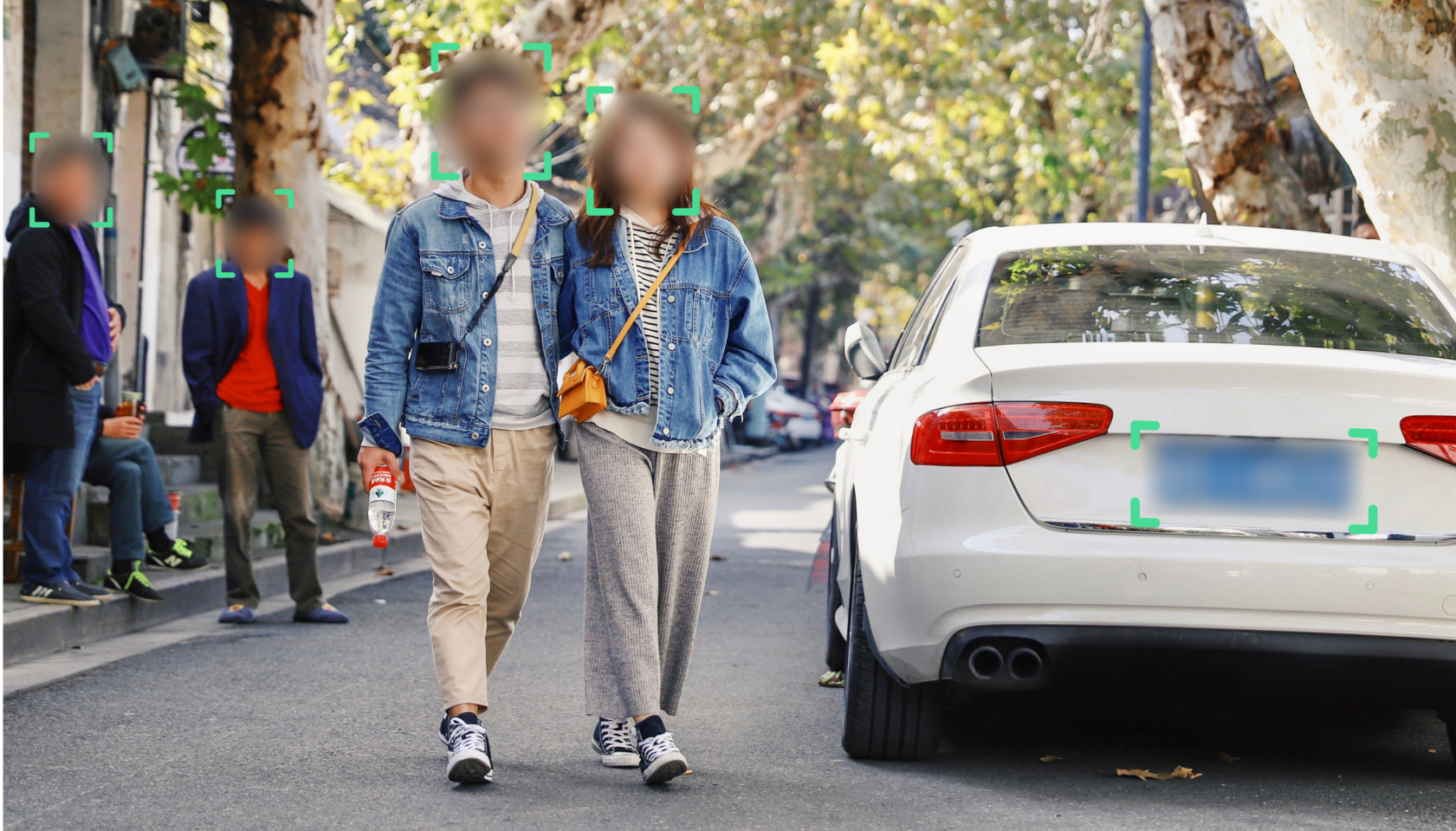
Whether you’re protecting bystanders in street photography, redacting a customer’s face before publishing footage, or preparing files for a GDPR-compliant disclosure, blurring images and videos online has become a routine task. This guide walks through exactly how to do it using Blurit Studio, the browser-based tool available at app.blurit.io, what you can blur, and when a one-off tool stops being enough.
What You Can Blur with Blurit
Blurit detects and blurs faces and license plates automatically across both images and video, with support for the most common formats: JPEG, PNG, and JPG for images; MP4, MOV, AVI, and MKV for video. You can also process files in bulk — useful if you’re working through a folder of photos or a batch of dashcam clips rather than a single file.
Step-by-Step: How to Blur an Image or Video
1. Open Blurit Studio. Go to app.blurit.io — this is where Blurit Studio, the tool used throughout this guide, lives. It works across desktop, tablet, and mobile browsers.
2. Upload your file. Click “Anonymize my file” and select the image or video you want to process. For larger jobs, use the bulk feature to upload a zip file rather than processing items one by one.
3. Choose what to blur. Once your file is uploaded, select whether to blur faces, license plates, or both. You can also export a JSON file with detection data if you need it for your own workflow.
4. Confirm and process. Confirm your selections to start processing. Your file will appear in the processing list while Blurit’s AI runs detection.
5. Review and download. Once processing is complete, preview the result. If everything looks right, download your file directly. If you need to adjust a detection — add a missed face, remove a false positive — open the editing interface before exporting the final version.
Images vs. Video: What’s Different
Blurring a single image is a one-pass job: detection runs once, you review, you export. Video adds a layer of complexity, since faces and plates move across frames — Blurit’s detection tracks them through the timeline rather than requiring you to redraw a mask on every frame, which is what makes batch video redaction practical instead of a multi-hour manual task.
Why Detection Accuracy Matters
Not every “blur online” tool performs the same way once you move past a simple, well-lit, front-facing photo. Partial faces, motion blur, low light, and crowded scenes are where automatic detection tools differ most — and where missed detections become a real compliance risk rather than a cosmetic one. If you’re processing footage for legal, security, or regulatory purposes, the accuracy of detection matters more than how many clicks the process takes. For a focused walkthrough on faces specifically, see our step-by-step guide to blurring a face.
Beyond One-Off Files: API and Self-Managed Options
If you’re processing images or video regularly rather than occasionally — for a platform, a fleet of vehicles, or a continuous surveillance feed — uploading files one at a time through a browser stops scaling fast. Blurit offers a REST API to integrate redaction directly into your own pipeline, and a self-managed deployment for organizations that need to keep processing entirely within their own infrastructure.
FAQ
What file formats does Blurit support? Images: JPEG, PNG, JPG. Video: MP4, MOV, AVI, MKV.
Can I blur multiple images or videos at once? Yes — the bulk upload feature lets you process a zip file of multiple items in a single batch rather than uploading one at a time.
Is blurring images online with Blurit GDPR-compliant? Anonymizing faces and license plates helps reduce the amount of personal data in your footage, which supports GDPR compliance — though full compliance also depends on how you store, retain, and share the original and processed files.
Does Blurit work for both casual use and business workflows? Yes. The browser-based tool covers one-off and small-batch needs, while the API and self-managed deployment are built for businesses processing images or video at scale.