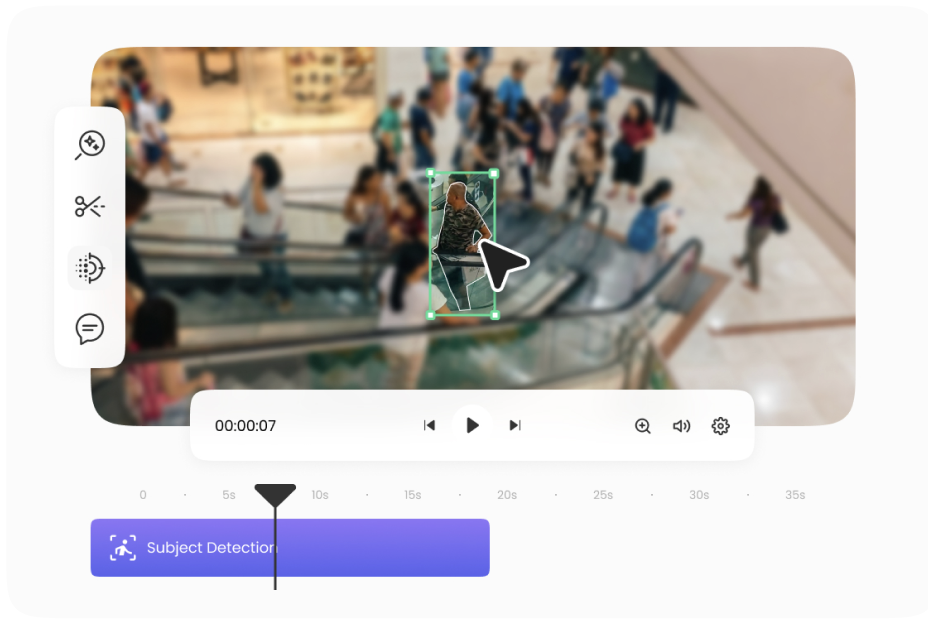
A Data Subject Access Request (DSAR) gives someone the right to ask an organization for a copy of the personal data it holds about them — and footage is personal data the moment it shows an identifiable face or license plate. When that footage also includes other people, the organization responding to the request has to anonymize everyone else in the file before it can be disclosed. This is exactly where Blurit.io fits in.
Why DSAR Requests Get Complicated with Visual Data
A text-based DSAR response is straightforward to redact — you can black out a name or an address in a document in seconds. Video and images are a different problem entirely. A single piece of CCTV footage, a dashcam clip, or a body-worn camera recording can contain dozens of identifiable people who aren’t the subject of the request, across hundreds or thousands of frames. Manually blurring each one isn’t just slow, it’s a real source of compliance risk if even one face is missed before disclosure.
How Blurit.io Supports DSAR Responses
Blurit.io’s AI automatically detects and redacts faces and license plates across both images and video, tracking them through a full video timeline rather than requiring a frame-by-frame manual mask. That means an organization handling a DSAR can process the relevant footage, anonymize every third party who isn’t the data subject, and disclose only what’s legally required — without the bottleneck of manual editing.
Depending on the volume and frequency of requests an organization handles, this can be done four ways:
Through Blurit.io Studio, the browser-based tool, for occasional or one-off requests. Read more in What Is Blurit.io Studio?
Through the Blurit REST API, for organizations that want to plug redaction directly into their existing DSAR or records-management workflow.
Through a self-managed deployment, for organizations — particularly in law enforcement, healthcare, or other regulated sectors — that need to keep all processing inside their own infrastructure.
Through Blurit.io’s dedicated DSAR solution page, for a tailored overview of how the platform fits specifically into a data subject access request workflow.
Getting Started
- Go to app.blurit.io and upload the footage or images relevant to the request.
- Let the AI detect every face and license plate automatically.
- Review the result and adjust any detections that need a manual fix.
- Export the redacted file, ready to include in your DSAR response.
For higher-volume or recurring DSAR workflows, the API or self-managed options remove the need to process each request through the browser individually.
Related Reading
This article is a general overview. For more specific guidance, see:
- UK Data Subject Access Requests (DSARs) Simplified: DUAA 2025 for jurisdiction-specific requirements
- DSAR Compliance: Mastering Image and Video Redaction for a deeper look at the redaction process itself
- DSAR: How Blurit Is Changing Data Rights Management for how this fits into broader data rights management
FAQ
Is anonymizing third parties in footage required for DSAR compliance? Yes — when responding to a DSAR involving images or video, organizations generally need to redact identifiable people who aren’t the subject of the request, since disclosing their data without a legal basis would itself be a compliance issue.
Can Blurit.io handle large volumes of footage for DSAR requests? Yes, through batch processing in Blurit.io Studio for moderate volumes, or through the API or self-managed deployment for organizations handling DSAR requests at scale or on a recurring basis.
Does Blurit.io support both images and video for DSAR responses? Yes — the same AI detection engine works across both, with automatic tracking of faces and license plates through a video timeline rather than frame-by-frame manual work.